
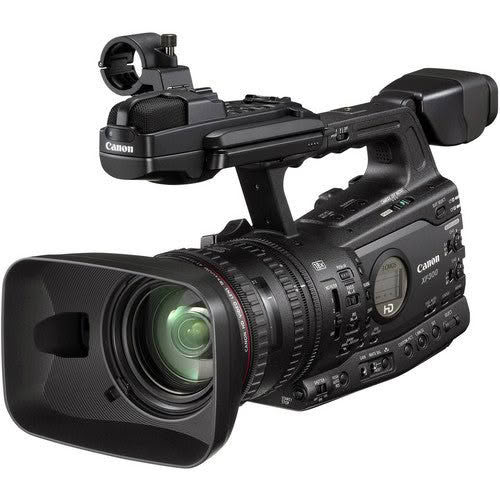

The Canon XF300 is a professional Full HD video camera for recording conferences, stage shows and events. It has a long zoom lens, XLR audio inputs and HDMI output for live feeds.
Good for
- Conference and stage recording
- Presentation capture
- Event documentation
- Feeding a live camera image to a screen
Connections
| Video output | HDMI |
| Audio inputs | 2 x XLR |
| Recording media | CompactFlash cards (two slots) |
How to use it
- Charge the battery the night before and format your CompactFlash card in the camera.
- Mount the camera on a sturdy tripod with a clear view of the stage.
- Connect an audio feed from the mixer or a mic to the XLR inputs if you want good sound.
- Frame your shot, set focus and exposure, then press record.
- For a live feed, connect HDMI to your screen, projector or switcher.
Tips
- For long events, run the camera on mains power where you can.
- A feed from the sound desk gives far better audio than the built-in mic.
- For long cable runs, use the Canon XF305, which has an SDI output, or a Blackmagic converter.
Specifications
| Recording | Full HD 1920 x 1080, 50 Mbps MPEG-2 4:2:2 |
| Lens | 18x zoom |
| Sensors | 3 x 1/3″ CMOS |
| Media | CompactFlash |
Questions? Not sure it will work with your system, venue or setup? Contact us, email hire@waikatosl.co.nz or call 07 834 1197 before you book.
Reviews
There are no reviews yet.