
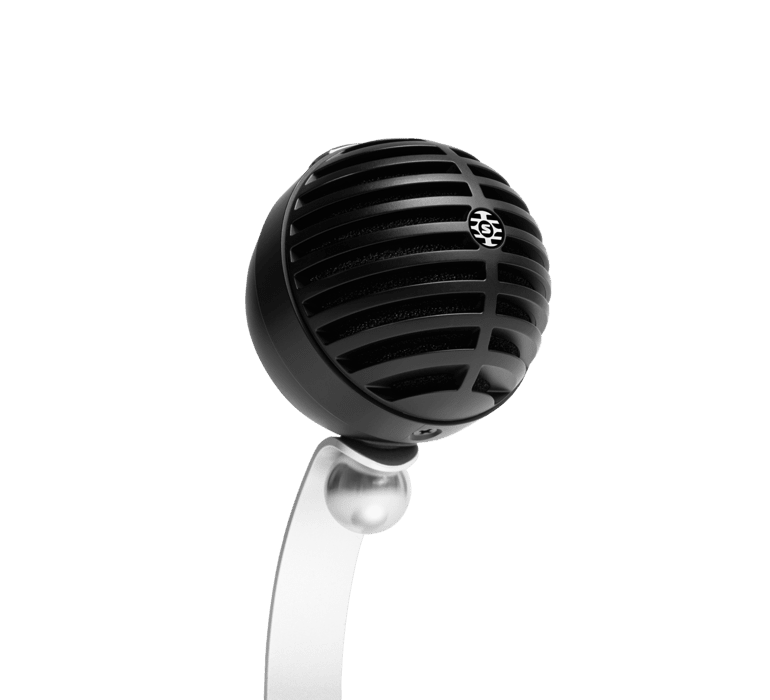
A plug-and-play USB desk microphone that makes you sound clear and natural on calls, recordings and livestreams. It’s a big step up from a laptop or webcam mic, and there are no drivers to install.
Good for
- Zoom, Teams and Google Meet calls
- Online presentations and webinars
- Podcasts and voiceovers
- Livestreams and remote interviews
What’s in the hire kit
- Shure MV5C-USB microphone
- Desktop stand (adjustable angle)
- USB-A to USB-C cable
Connections: what it plugs into
| Mac / Windows PC | USB (cable is USB-A at the computer end). Laptops with only USB-C ports need a USB-C to USB-A adapter |
| Software | Zoom, Teams, Meet, Skype, OBS, Audacity and anything else that takes a USB microphone |
| Headphones | Headphone output on the mic for monitoring |
How to use it
- Plug the mic into your computer. It’s ready in a few seconds, with no drivers.
- In Zoom, Teams or your recording app, choose ‘Shure MV5C’ as the microphone.
- Sit about 15–30 cm from the mic and angle it towards your mouth.
- Do a test call or recording and check the level.
Tips
- Closer is better: it rejects more room noise when you’re close to it.
- Speech Enhancement Mode is built in, so you don’t need to set anything up for clear voice.
Specifications
| Type | USB condenser microphone |
| Connection | USB (USB-C on the mic) |
| Works with | Mac and Windows, no drivers |
| Feature | Speech Enhancement Mode |
Questions? Not sure it will work with your camera, system or venue? Contact us, email hire@waikatosl.co.nz or call 07 834 1197 before you book.
Want to own one? Buy the Shure MV5C at AV Store.



Reviews
There are no reviews yet.